
Shulker Box Tooltip
ModrinthView the contents of shulker boxes from your inventory
5.4.3+26.3-fabric · MC 26.3 · Fabric
Files
5.4.3+26.3-fabric
release[Fabric 26.3] v5.4.3+26.3
26.3fabric2026-10-25 · 179.6K downloads
shulkerboxtooltip-fabric-5.4.3+26.3.jar · 415 KB
5.4.3+26.3-neoforge
release[NeoForge 26.3] v5.4.3+26.3
26.3neoforge2026-10-25 · 2.8K downloads
shulkerboxtooltip-neoforge-5.4.3+26.3.jar · 414 KB
5.4.3+26.2-fabric
release[Fabric 26.2] v5.4.3+26.2
26.2fabric2026-10-25 · 66.2K downloads
shulkerboxtooltip-fabric-5.4.3+26.2.jar · 415 KB
5.4.3+26.2-neoforge
release[NeoForge 26.2] v5.4.3+26.2
26.2neoforge2026-10-25 · 922 downloads
shulkerboxtooltip-neoforge-5.4.3+26.2.jar · 414 KB
5.4.3+26.1.1-neoforge
release[NeoForge 26.1.1-26.1.2] v5.4.3+26.1.1
26.1.226.1.1neoforge2026-10-25 · 581 downloads
shulkerboxtooltip-neoforge-5.4.3+26.1.1.jar · 409 KB
5.4.3+26.1.1-fabric
release[Fabric 26.1.1-26.1.2] v5.4.3+26.1.1
26.1.226.1.1fabric2026-10-25 · 17.4K downloads
shulkerboxtooltip-fabric-5.4.3+26.1.1.jar · 410 KB
5.4.2+26.3-neoforge
release[NeoForge 26.3] v5.4.2+26.3
26.3neoforge2026-09-16 · 19.2K downloads
shulkerboxtooltip-neoforge-5.4.2+26.3.jar · 412 KB
5.4.2+26.3-fabric
release[Fabric 26.3] v5.4.2+26.3
26.3fabric2026-09-16 · 1M downloads
shulkerboxtooltip-fabric-5.4.2+26.3.jar · 413 KB
5.4.1+26.2-neoforge
release[NeoForge 26.2] v5.4.1+26.2
26.2neoforge2026-09-16 · 8.1K downloads
shulkerboxtooltip-neoforge-5.4.1+26.2.jar · 412 KB
5.4.1+26.2-fabric
release[Fabric 26.2] v5.4.1+26.2
26.2fabric2026-09-16 · 518.7K downloads
shulkerboxtooltip-fabric-5.4.1+26.2.jar · 413 KB
5.4.0+26.2-neoforge
release[NeoForge 26.2] v5.4.0+26.2
26.2neoforge2026-07-06 · 25.2K downloads
shulkerboxtooltip-neoforge-5.4.0+26.2.jar · 408 KB
5.4.0+26.2-fabric
release[Fabric 26.2] v5.4.0+26.2
26.2fabric2026-07-06 · 1.4M downloads
shulkerboxtooltip-fabric-5.4.0+26.2.jar · 409 KB
5.4.0+26.1.1-neoforge
release[NeoForge 26.1.1-26.1.2] v5.4.0+26.1.1
26.1.226.1.1neoforge2026-07-06 · 8K downloads
shulkerboxtooltip-neoforge-5.4.0+26.1.1.jar · 407 KB
5.4.0+26.1.1-fabric
release[Fabric 26.1.1-26.1.2] v5.4.0+26.1.1
26.1.226.1.1fabric2026-07-06 · 264.1K downloads
shulkerboxtooltip-fabric-5.4.0+26.1.1.jar · 408 KB
5.3.1+26.2-neoforge
release[NeoForge 26.2] v5.3.1+26.2
26.2neoforge2026-06-17 · 7.7K downloads
shulkerboxtooltip-neoforge-5.3.1+26.2.jar · 395 KB
5.3.1+26.2-fabric
release[Fabric 26.2] v5.3.1+26.2
26.2fabric2026-06-17 · 526.7K downloads
shulkerboxtooltip-fabric-5.3.1+26.2.jar · 395 KB
5.3.0+26.1.1-neoforge
release[NeoForge 26.1.1-26.1.2] v5.3.0+26.1.1
26.1.226.1.1neoforge2026-05-25 · 9.2K downloads
shulkerboxtooltip-neoforge-5.3.0+26.1.1.jar · 394 KB
5.3.0+26.1.1-fabric
release[Fabric 26.1.1-26.1.2] v5.3.0+26.1.1
26.1.226.1.1fabric2026-05-25 · 427.9K downloads
shulkerboxtooltip-fabric-5.3.0+26.1.1.jar · 395 KB
5.2.18+26.1-neoforge
release[NeoForge 26.1.x] v5.2.18+26.1
26.1.226.1.126.1neoforge2026-03-30 · 21.5K downloads
shulkerboxtooltip-neoforge-5.2.18+26.1.jar · 378 KB
5.2.18+26.1-fabric
release[Fabric 26.1.x] v5.2.18+26.1
26.1.226.1.126.1fabric2026-03-30 · 1.3M downloads
shulkerboxtooltip-fabric-5.2.18+26.1.jar · 379 KB
Files are delivered unmodified from Modrinth's servers and verified against the SHA-512 hash published by the project. The project's license applies to every file; check it before redistributing.
Gallery
About
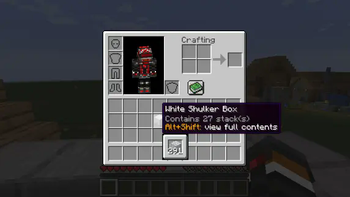
This mod allows you to see a preview window of a shulker box contents when hovering above it in an inventory by pressing shift.
Supports both Fabric and Forge
On Fabric:
Fabric Loader and Fabric API are required
Mod Menu is recommended (but not required) for in-game configuration
Features:
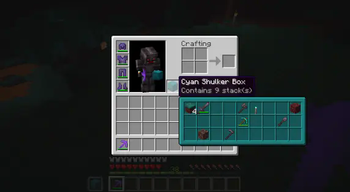
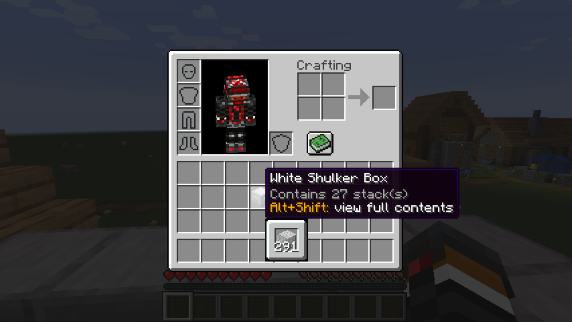
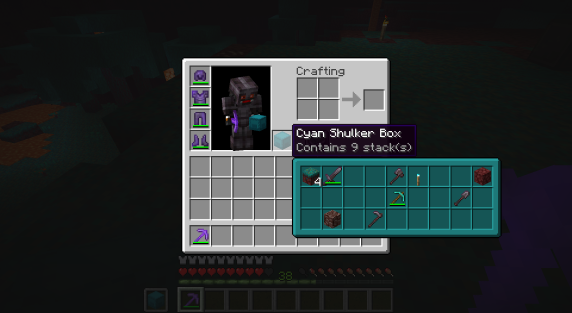
Compact Preview
Press shift (by default) while hovering an item.
Full Preview
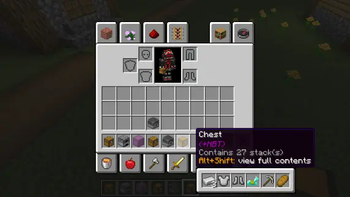
Press alt+shift (by default) while hovering an item to shows its full contents where each contained stack is displayed in the correct slot.
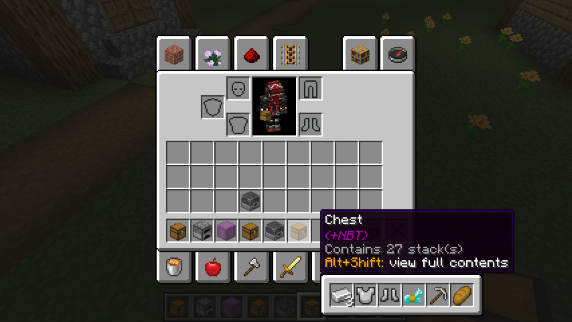
Other Containers
The preview also works with items obtained in creative mode using control + pick block such as chests, furnaces, barrels, etc...
Works with most modded containers as well.
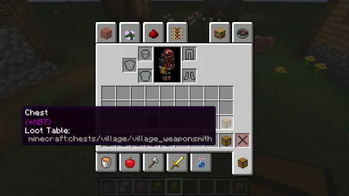
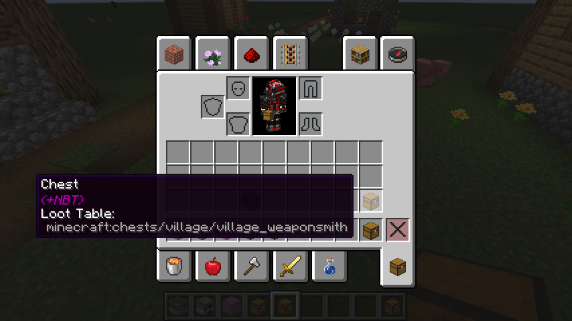
Loot Tables
The name of the loot table is displayed in the tooltip if the hovered item as one.
This option is disabled by default.
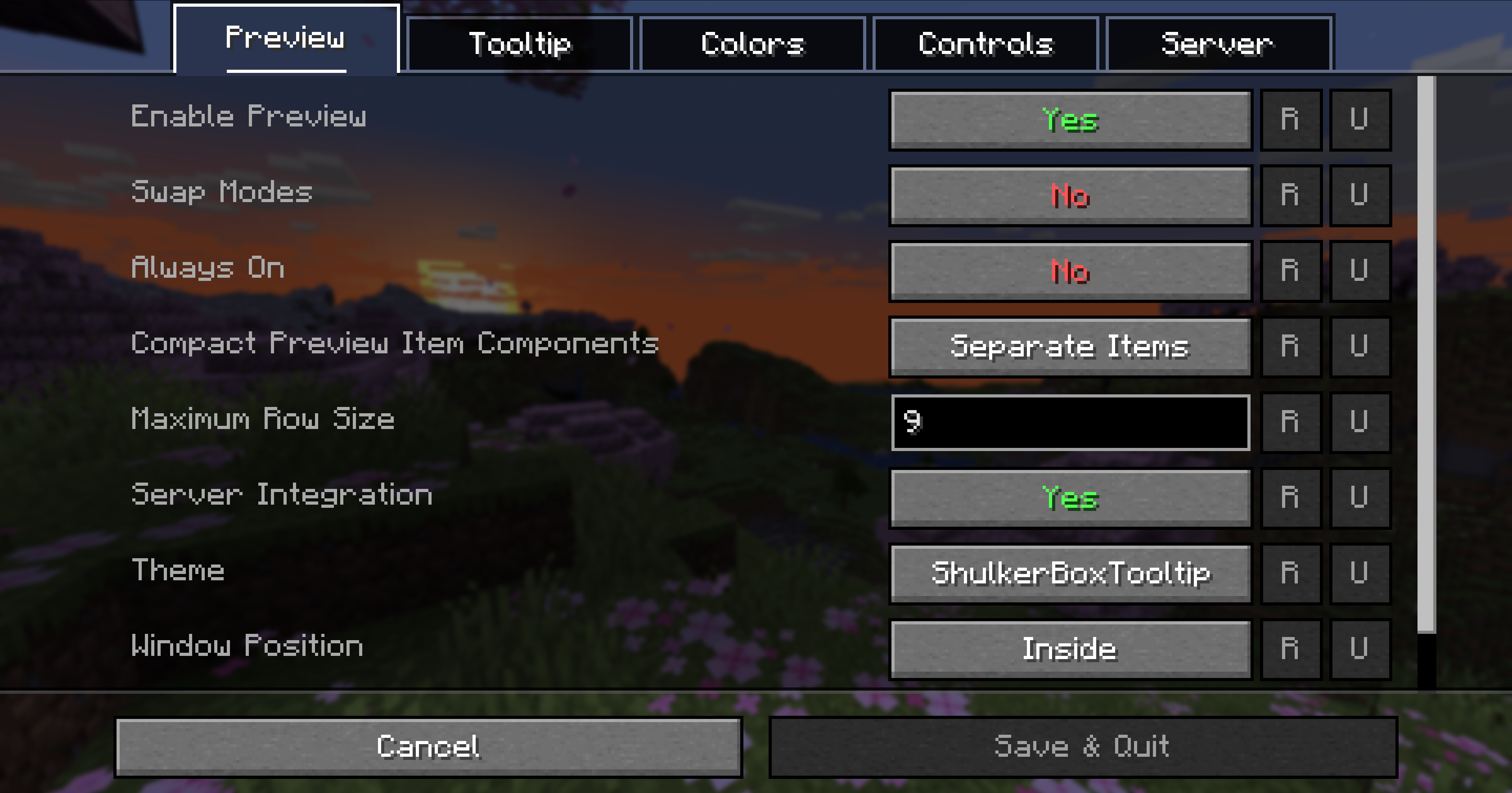
Configurability
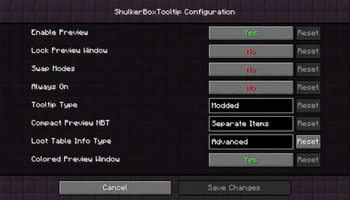
Most aspects of the mod can be configured through the config menu. To access it, in the mod menu select ShulkerBoxTooltip and then click on the gear icon.
See the in game documentation or the wiki for info about each option. The config file can be found at <minecraft folder>/config/shulkerboxtooltip.json5
Colors!
The color of the preview window changes depending on the color of the shulker box, you can disable it in config.
Server support
The mod can also be installed server-side (optional) to provide extra features such as ender chest preview.