
Terder's Potato Shader
ModrinthA lightweight, optimized shader designed specifically for low-end and potato PCs.
1.1 · MC 26.3 · Iris
Files
1.1
alphaTerder's Potato Shader 1.1
26.326.226.1.226.1.1+20iris2026-10-25 · 1.8K downloads
Terders-Potato-Shader-alpha-v1.1.zip · 24 KB
Files are delivered unmodified from Modrinth's servers and verified against the SHA-512 hash published by the project. The project's license applies to every file; check it before redistributing.
Gallery
About
This is a simple, lightweight shader built with performance in mind. It is optimized to run smoothly on low-end hardware, older laptops, and potato PCs without sacrificing too much visual quality.
If you need a budget-friendly effect that keeps your game's FPS high, this shader is for you.
Why Choose This Shader? Minimal GPU Impact: Strips away unnecessary complex calculations, ensuring your GPU stays cool and your framerate stays high.
True Potato Optimization: No bloat, no unnecessary post-processing effects—just the bare essentials to make your world look better.
Fast Loading: Optimized for quick loading times without causing micro-stutters.
Visual Enhancements:
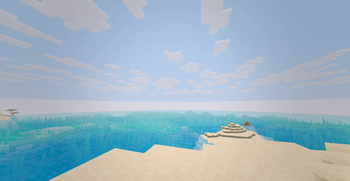
Optimized Water
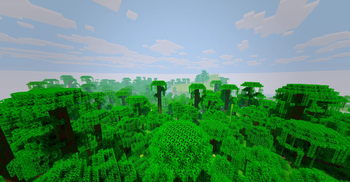
Enhanced Shadows
and more!
Key Highlights:
- Lightweight: Very low vertex/fragment complexity.
- Potato PC Approved: Tested to maintain high FPS on weak hardware.
Requirements To use this shader, you need to install one of the following mods:
- Iris Shader
Installation Instructions Ensure you have a shader-compatible mod installed (Iris Shader)
Download the .zip file from the file section.
Open Minecraft and navigate to Options -> Video Settings -> Shader Packs.
Click Open Shader Packs Folder.
Drag and drop the downloaded .zip file into that folder.
Select the shader in-game and enjoy!