
Tilde
ModrinthA highly performant geometry shader that modifies distant terrain, making the world feel alive!
v2 · MC 1.21.6 · Iris
Files
v2
releasev2
1.21.61.21.51.21.41.21iris2025-02-23 · 6.4K downloads
~.zip · 13 KB
v1
releasev1
1.21iris2025-02-21 · 388 downloads
~.zip · 6.8 KB
Files are delivered unmodified from Modrinth's servers and verified against the SHA-512 hash published by the project. The project's license applies to every file; check it before redistributing.
Gallery
About
~
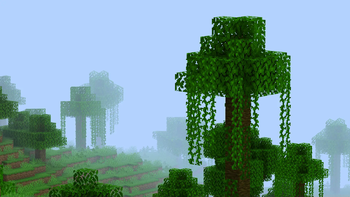
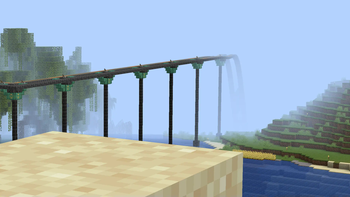
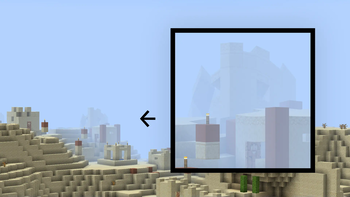
Tilde is a highly performant geometry shader that makes the world feel alive.
The shader only modifies the geometry of distant terrain1, making it extremely lightweight. If you're able to run Minecraft without shaders, you can run Tilde!
Comes with three presets: Default, Increased Motion, and Reduced Motion.
- Small deviations from vanilla may be present as of this time. Modifying the terrain geometry in a shader like this means we have to replicate some aspects of the vanilla style ourself, such as the hand and cloud appearance for example. Feel free to report an issue if you find anything that looks off!
Installation
Please note that the shader is still under development, and has only been only tested with Iris on 1.21.4 - but it should surely work on other versions as well!
- Make sure the mods Sodium and Iris are installed.
- Inside the game, navigate to Options 🡒 Video Settings 🡒 Shader Packs... (or use the default shortcut
O) and click the Open Shader Pack Folder... button. - Download the latest shaderpack here and drag the file to your newly opened shaderpack folder.
- It should now appear in your shaderpack list in-game, so select it and click apply!