
WVP Shader (Wozt Vanilla Plus Shader)
ModrinthEnhance your Minecraft with vibrant colors, warm lighting, and smooth performance. The ultimate Vanilla+ experience.
1.1 · MC 26.2 · Iris, Optifine, Vanilla
Files
1.1
releaseWVP Shader (Wozt Vanilla Plus Shader) 1.1
26.226.1.226.1.126.1+30irisoptifinevanilla2026-07-28 · 2.8K downloads
WVP-Shader-v1.1.zip · 5.0 KB
1.0
releaseWVP Shader (Wozt Vanilla Plus Shader) 1.0
26.226.1.226.1.126.1+30irisoptifinevanilla2026-06-19 · 1.6K downloads
WVP-Shader-v1.0.zip · 4.7 KB
Files are delivered unmodified from Modrinth's servers and verified against the SHA-512 hash published by the project. The project's license applies to every file; check it before redistributing.
Gallery
About
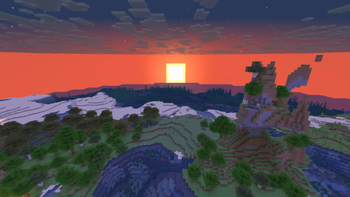
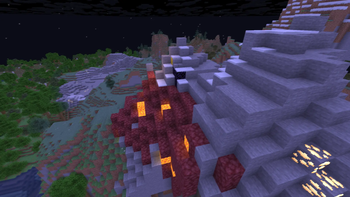
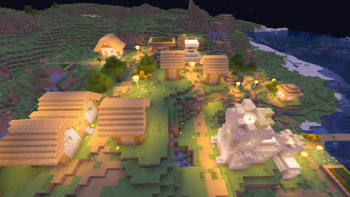
Welcome to WVP Shader, a lightweight and performance-friendly Vanilla+ shader designed to enhance your Minecraft world with vibrant colors and cozy lighting while maintaining the classic vanilla aesthetic.
🚀 Perfect for low-end PCs and everyday gameplay!
✨ Features
- 🎨 Vibrant Colors & Cozy Lighting: Enhanced tonemapping for a warm, lively, and immersive atmosphere.
- ☁️ Custom Rounded 3D Clouds: Gorgeous, stylized 3D blocky clouds that fit the Minecraft grid perfectly.
- 🌊 Beautiful Clear Water: Improved underwater visibility and realistic waving water effects.
- 🍃 Waving Foliage: Subtle, natural waving animations for leaves and plants.
- 🚀 Performance First: Highly optimized code. Enjoy high FPS even on integrated graphics!
- 🎮 In-game Quality Profiles: Easily toggle between Potato, Medium, High, and Cinematic presets in the shader options.
🛠️ Installation
- Make sure you have Iris Shader Mod (recommended) or OptiFine installed.
- Download the WVP Shader zip file.
- Drop the zip file into your
.minecraft/shaderpacksfolder. - Enable it in-game via Video Settings -> Shader Packs.